
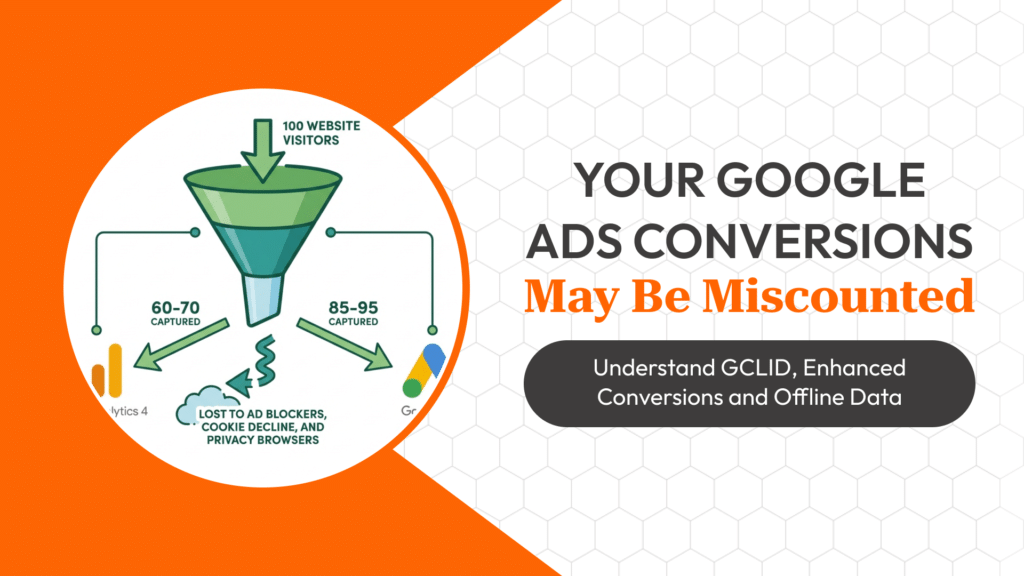
Most advertisers assume conversion tracking is a single toggle they switch on once and forget. In reality, a conversion event travelling from a click to a Google Ads report passes through several layers — a click identifier, a tag that fires on a specific page or event, and increasingly, a matching process that happens well after the session has ended. Understanding each layer is what separates an account where ‘no conversions’ actually means no conversions, from one where the tracking itself is the problem.
What a GCLID Actually Is
Every time a user clicks a Google Ads text, shopping or display ad, Google appends a Google Click Identifier (GCLID) as a URL parameter to the destination link. This string is not decorative — it is the anchor that ties everything that happens afterward back to the specific ad, keyword, campaign and auction that produced the click.
The GCLID gets stored, usually in a first-party cookie on the landing page domain, and is read again when a conversion action fires. If the landing page redirects through a different domain, strips query parameters, or the cookie is blocked, the GCLID is lost before it ever reaches the conversion event — and Google Ads has no way to credit the click, even though the sale genuinely happened.
How the Conversion Tag Actually Fires
A standard Google Ads conversion tag (or a Google Tag Manager trigger pointing to one) runs in the visitor’s browser at a defined moment — page load on a thank-you page, a button click, a form submission event. At that moment it reads the stored GCLID and sends it, along with the conversion value and action name, back to Google’s servers.
This is why thank-you-page-based tracking is fragile: if a user closes the tab before the page fully loads, uses back-button navigation after a payment gateway redirect, or has JavaScript blocked by an ad blocker, the fire never happens. The click was real, the sale was real, but the join between the two never occurred.
Enhanced Conversions: Closing the Gap With Hashed First-Party Data
Enhanced Conversions address a different problem: cookie loss from browser privacy restrictions and multi-device journeys. Instead of relying only on the GCLID cookie, the tag also sends hashed (SHA-256) first-party data the business already collects at conversion — email, phone number, name and address.
Google matches this hashed data against its own signed-in user graph to model conversions that the cookie-based method alone would have missed, without exposing raw personal data. For lead-gen and e-commerce accounts running on forms or checkout pages, this typically recovers a meaningful share of conversions that were happening but going unreported.
Offline Conversion Import: Connecting Sales to the Original Click
Many genuine conversions — a sales call that closes three days later, a hospital appointment that converts to an admission, an enquiry that becomes a signed contract — don’t happen on the website at all. Offline Conversion Import (OCI) solves this by letting the business upload conversion data back into Google Ads using the GCLID captured at the original enquiry.
The GCLID is captured on the initial form or call-tracking event and stored against the lead record in the CRM. Once the lead closes, that GCLID, the conversion action name, the timestamp and the value are uploaded — via the Google Ads API, a Google Sheets connector, or a CRM integration — and Google reattributes the closed sale back to the exact keyword and campaign that generated the original enquiry.
Where Tracking Silently Breaks
The most common breakpoints are consistent across accounts: consent banners that block tags before a user accepts cookies, landing pages hosted on a subdomain that doesn’t share the cookie with the main tracking domain, duplicate conversion actions counting the same sale twice, and GCLID fields getting dropped from CRM forms that were built before tracking was a requirement.
A useful audit habit is to trace one real conversion end to end — click, landing page, form, CRM record, and back into Google Ads reporting — rather than only checking that a tag ‘fires’ in Tag Assistant. A tag firing correctly and a conversion being correctly attributed are two different claims.
Frequently Asked Questions
Does Enhanced Conversions replace the need for a GCLID?
No. Enhanced Conversions supplements GCLID-based tracking with hashed first-party data; it doesn’t remove the need for accurate click-to-page tracking in the first place.
How long is a GCLID valid for offline conversion import?
Google Ads generally accepts offline conversions uploaded within 90 days of the click, which is why capturing and storing the GCLID at first contact matters for longer sales cycles.
Why do conversion numbers in Google Ads differ from GA4?
The two platforms use different attribution windows, matching logic, and in many cases different conversion definitions — they are not built to reconcile to the same number.
Is Enhanced Conversions safe from a privacy standpoint?
Personal data is hashed in the browser before it’s sent, and Google matches hashes rather than raw personal information, which is the model regulators have generally accepted for this kind of matching.
Continue Learning With SG Gurukul
Getting GCLID capture, Enhanced Conversions and offline import working correctly on a live account is exactly the kind of hands-on skill covered in SG Gurukul’s Performance Marketing Course — built around live ad accounts rather than slides alone, and one of the reasons it’s consistently rated among the Best Digital Marketing Course In Indore. Learn more about digital marketing training in Indore.